Guides
YouTube channel content and production guide: a practical read
YouTube pays creators through the Partner Program, and eligibility, advertiser-friendly rules and disclosure duties decide what a channel can earn.
What to take away
Two jobs decide whether a YouTube channel works: making video people watch and staying inside the rules that pay for it. This YouTube channel content and production guide covers both, from gear and editing to the Partner Program thresholds. The short version sits below.
- YouTube pays through the Partner Program, which requires 1,000 subscribers plus either 4,000 valid public watch hours in 12 months or 10 million valid public Shorts views in 90 days.
- Advertiser-friendly guidelines decide which videos can carry ads, so a video that stays up can still earn nothing.
- Paid promotions need a disclosure YouTube surfaces and the FTC requires, and both obligations apply at once.
- Copyright strikes, reused content and inauthentic content are separate review paths with separate penalties.
- Keep a monthly record of watch hours, Shorts views, RPM, and the videos that lost monetization.
- Long-form video runs in a 16:9 frame at 8 to 15 minutes. Shorts run vertical at 9:16 and cap at three minutes.
- DaVinci Resolve, CapCut, OBS Studio and Audacity all have free tiers, so the edit suite can cost nothing.
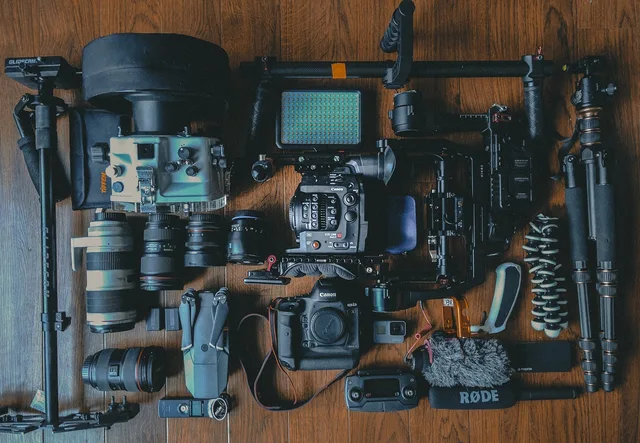
- A phone camera, a USB microphone and one key light cover most small channels.
This article covers YouTube's own monetization and policy framework. It is general creator-business information. It is not individualized platform advice. It is not advertising, endorsement, copyright, privacy, tax or legal advice. Rules and eligibility change, so check current YouTube terms and qualified guidance before acting.
Formats a small channel can run
A channel needs one main format and one feeder format, not five. Long-form uploads run in a 16:9 frame and commonly land between 8 and 15 minutes. That length opens mid-roll ads and leaves room for a topic to breathe.
Shorts run vertical at 9:16 and cap at three minutes, up from the earlier one-minute limit. They cost less to produce and push viewers toward long-form. Live streams run through YouTube Studio, and each stream stays on the channel as a video afterward.
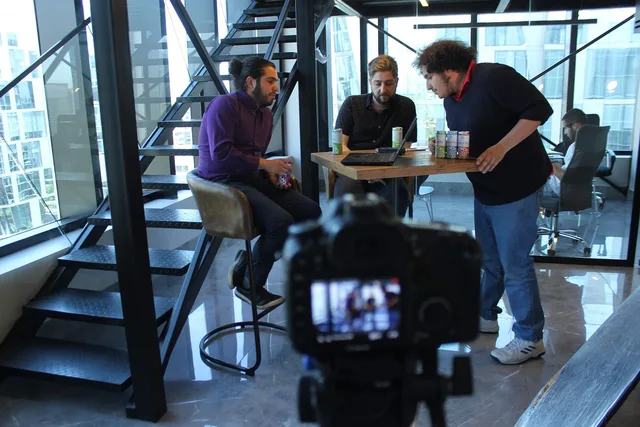
Format follows production cost per finished minute. A talking-head commentary video needs one camera, one microphone and about an hour of editing. A reporting piece needs b-roll, music licensing and several days. How-to content suits screen capture, and interviews suit two cameras shooting at once.
Product reviews suit handheld and close-up work. Tutorials suit a locked-off camera with capture from OBS Studio, which is free. Pick the format your schedule can carry every week, because an irregular upload pattern empties the rolling watch-hour window.
Camera, microphone and lighting gear
Most small channels start with a phone. The iPhone 16 lists from $799 and shoots 4K at 60 frames per second. The Google Pixel 8a listed from $499 at launch. Either one beats a cheap camcorder, and a tripod fixes the biggest problem, which is shaky handheld footage.
List prices below come from the makers, as of 2026, and they move with sales.
| Gear | Typical list price | Who it suits |
|---|---|---|
| Canon EOS R50 with 18-45mm lens | about $680 | first camera, subject tracking, flip screen |
| Sony ZV-E10 II body | about $1,000 | product shots, 4K 60 fps, interchangeable lenses |
| DJI Osmo Pocket 3 | $519 | walking and talking with gimbal stability |
| GoPro HERO12 Black | $399 | POV and action footage at 5.3K |
| Shure MV7+ | about $279 | USB and XLR voiceover, one-person podcast |
| Rode Wireless ME | $149 | one wireless lavalier for a host |
| DJI Mic 2 | about $349 | two transmitters with 32-bit float backup |
| Elgato Key Light Air | about $130 to $200 | desk lighting with app control |
| Aputure Amaran 60x S | about $170 | bi-color key light for a small set |
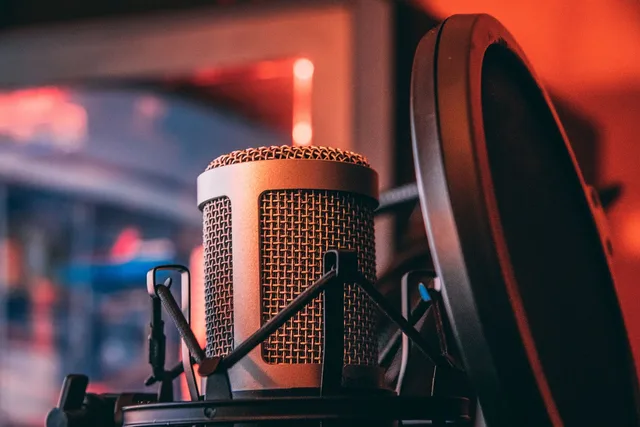
Sound decides whether viewers stay. A USB microphone on a boom arm, six to twelve inches from the mouth, beats a camera microphone every time. Record at 48 kHz, set gain so peaks land near -12 dB, and treat the room with soft furnishings before buying more gear.
Light one direction, not three. A single key light at 45 degrees, plus whatever window light the room already has, reads as natural. Two lights is a ceiling most channels never need to pass.
Editing software and a two-track workflow
Editing software ranges from free to a monthly subscription. DaVinci Resolve has a free version and a one-time $295 Studio license. Adobe Premiere Pro sells a single-app plan at $22.99 per month. Final Cut Pro is $299.99 once, on Mac only.
CapCut has a free tier and a Pro plan that typically runs under $10 per month. OBS Studio is free and handles screen capture and live streaming. Audacity is free and cleans up audio. Descript edits video through its transcript, with plans typically from $12 to $19 per month.
A two-track timeline covers most videos. Voice sits on track one and music on track two. Keep the music 15 to 20 dB under the voice. YouTube's Audio Library, inside YouTube Studio, supplies free music and sound effects.
Export at 1080p, 30 or 60 frames per second, in MP4 with H.264 video and AAC audio at 48 kHz. Match the project frame rate to the camera frame rate so motion stays clean. Keep the master file, because sponsors and clip channels ask for it later.
The publishing workflow, in order
Publishing is a fixed sequence, and it repeats every week. Ten steps cover it.
- Turn the script into a shot list, and note every b-roll clip you need before you set up a camera.
- Record three or four videos in one session with the same light and microphone position.
- Cut the voice track first, then lay b-roll over the joins.
- Export at 1080p in MP4 with H.264 video and AAC audio at 48 kHz.
- Make a thumbnail at 1280 by 720 pixels, under 2 MB, saved as JPG or PNG.
- Write a title under 100 characters and a description of up to 5,000 characters, with the search terms in the first two lines.
- Add chapters starting at 00:00, at least three of them, each lasting 10 seconds or more.
- Upload an SRT caption file, then place end screens in the last 5 to 20 seconds.
- Schedule the upload in YouTube Studio for the same day and time each week.
- Use Test & Compare on two or three thumbnails, then check average view duration and click-through rate a week later.
A fixed slot matters more than a perfect one. Both eligibility windows roll forward, so the upload date is part of the math.
How the Partner Program actually pays
YouTube runs one monetization system, the YouTube Partner Program, and it gates everything else. A channel outside the program earns nothing from ads, memberships or Shopping, however many views it collects.
Partner Program entry thresholds
- 1,000subscribers required
- 4,000valid public watch hours in 12 months
- 10 millionvalid public Shorts views in 90 days
YouTube publishes the entry thresholds. A channel needs 1,000 subscribers and either 4,000 valid public watch hours in the past 12 months or 10 million valid public Shorts views in the past 90 days. Plan against those numbers, and check them again before promising a sponsor a date.
The program is not available everywhere. YouTube limits it to countries and regions it lists, and applicants must meet the age requirement in their location or have an adult manage the channel. A creator outside a supported country cannot join by growing faster.
Revenue arrives through several separate methods once a channel is accepted. These include ads on videos and YouTube Premium watch time. Channel memberships, Super Chat, Super Thanks and Shopping each carry their own eligibility step. Reaching the program does not switch them all on.
Advertiser-friendly rules decide the money
A video can stay on YouTube and still earn nothing. Advertiser-friendly guidelines determine whether ads run, and YouTube applies them per video, not per channel.
Community vs advertiser-friendly review
Community guidelines
- Scope
- Per video
- Decides
- Stays up
- Outcome
- Removal
- Trigger topics
- Policy breach
Advertiser-friendly guidelines
- Scope
- Per video
- Decides
- Ads run
- Outcome
- Demonetization
- Trigger topics
- Violence, adult, firearms
The categories that limit or block ads are broad. They cover violence, adult content and controversial issues. They also cover harmful substances, firearms and inappropriate language. A channel that covers any of these can follow community guidelines and still see most of its catalog demonetized.
That gap is the one most creators misread. Community guidelines decide whether a video stays up. Advertiser-friendly guidelines decide whether it makes money. Two different reviews, two different outcomes.
YouTube also reviews channels for reused content and inauthentic content. Reused content means uploading material someone else made without adding commentary, education or original value. Inauthentic content covers mass-produced or repetitive uploads. Both can block monetization even when the videos are legal to post.
Copyright runs on its own track
Copyright is not part of the monetization review. It runs through Content ID and the copyright strikes system, and it can end a channel.
Content ID claim vs copyright strike
Content ID claim
- Source
- Automated match
- Effect
- Revenue to claimant
- Video status
- Runs, may be muted
- Channel risk
- None
Copyright strike
- Source
- Rights holder request
- Effect
- Removal request
- Video status
- At risk
- Channel risk
- Three strikes ends channel
A copyright strike follows a complete removal request from a rights holder. Three strikes in 90 days terminates the channel. YouTube also offers a Copyright Match Tool to eligible channels, which finds reuploads of your own material.
Content ID is the automated system rights holders use to claim matching audio or video. A claim is not a strike. A claim typically sends the revenue to the claimant, or mutes or blocks the video in some territories. Creators can dispute a claim, and the dispute process is documented.
The distinction matters for planning. A claimed video can still run and still build audience, but it will not pay. A struck video is a different problem with a different clock.
Disclosure is two obligations at once
YouTube requires creators to declare paid promotions in the upload flow, and the platform then shows a disclosure to viewers. That is YouTube's rule.
Two disclosure duties
- Declare paid promotion in YouTube upload flow
- YouTube shows disclosure to viewers
- FTCclaims truthful and supported
- FTCmaterial connections disclosed
- Review requests reach real users
- Incentives cannot create false picture
The FTC requires the same thing independently. Its Advertising FAQs: A Guide for Small Business state that advertising claims must be truthful and supported, and that endorsements must reflect honest experience with material connections disclosed.
The FTC's Soliciting and Paying for Online Reviews: A Guide for Marketers adds that review requests should reach real users rather than only people likely to answer positively, and that incentives or paid placement cannot create a false picture.
Ticking the YouTube box does not discharge the FTC duty, and a caption that satisfies the FTC does not replace the YouTube declaration. Both apply. Neither one is optional because the other exists.
What to measure every month
The numbers worth tracking are the ones that change a decision. For a small channel, that is a short list.
Monthly metrics to track
- Watch hours vs 4,000 threshold
- Shorts views vs 10 million threshold
- Subscriber count vs 1,000
- Videos that lost monetization
- RPM by video
- Open copyright claims and strikes
Watch hours and Shorts views are the two that expire. A channel at 3,800 hours in month 11 has a different problem than one at 3,800 in month 2. The window rolls forward, so old hours drop off.
RPM, not views, tells you what a video earned. Two videos with identical view counts can pay very differently depending on the audience, the topic and whether ads ran at all.
The monthly review, in order
- Pull watch hours and Shorts views for the trailing window and compare them with the thresholds.
- List every video that lost monetization and note the guideline cited.
- Check open copyright claims and any strikes, with dates.
- Compare RPM by video and flag topics that consistently underpay.
- Confirm every sponsored video carried both the YouTube declaration and a visible FTC disclosure.
- Set the next review date and one change to test.
A monthly cycle fits the thresholds. The 12-month watch-hour window and the 90-day Shorts window both move, so a quarterly review can miss a slide by two months.
Monthly review sequence
- Pull watch hours and Shorts views
- List videos that lost monetization
- Check open claims and strikes
- Compare RPM by video
- Confirm YouTube and FTC disclosures
- Set next review date and one test
Common questions
Does a video need to be in the Partner Program to earn from a sponsor?
No. Sponsors pay directly, outside YouTube's ad system, so a channel below the thresholds can still take paid deals. The disclosure duties apply either way, and the FTC obligation does not depend on program membership.
What happens to earnings if a channel breaks the rules?
YouTube may review, limit, suspend or recover earnings when a channel does not follow its policies. Those policies cover programs, community, copyright and advertisers. They also cover authenticity and reused content. Recovery means money already paid can be clawed back. The outcome depends on which policy was broken.
Can a claimed video still make money?
Usually not for the creator. A Content ID claim typically routes revenue to the claimant, or mutes or blocks the video in some territories. The video can stay up and keep building audience while paying nothing, which is why claims belong in the monthly numbers.
Is the YouTube disclosure enough for the FTC?
No. YouTube's declaration is a platform requirement and the FTC endorsement guides are a separate legal duty. A sponsored video needs both, and the FTC guidance applies to the claim and the relationship, not just to the label.
Plan the calendar around these thresholds and reviews with a monthly YouTube content calendar, so the watch-hour window and the disclosure check land on the same date each month.